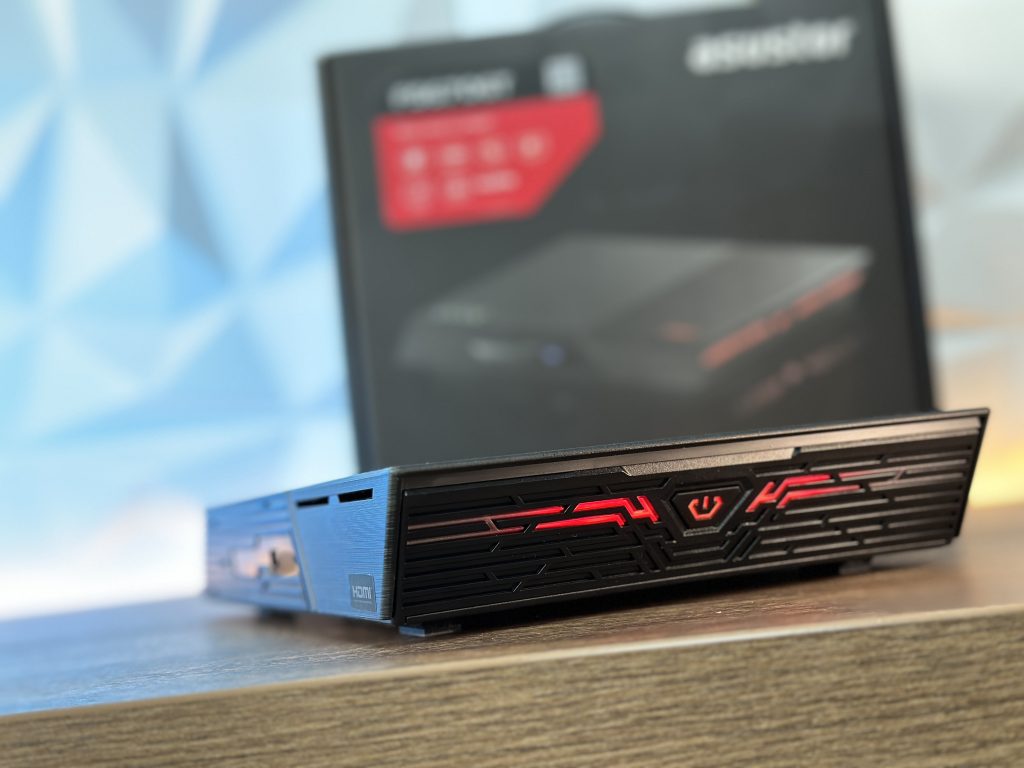
It has come down to this. Prices drop of the M.2 NVMe SSDs in general, make this product quite appealing to create an NVMe NAS solution. In play comes ASUSTOR with their two models where you could place 6 or 12 M.2 NVMe SSD.
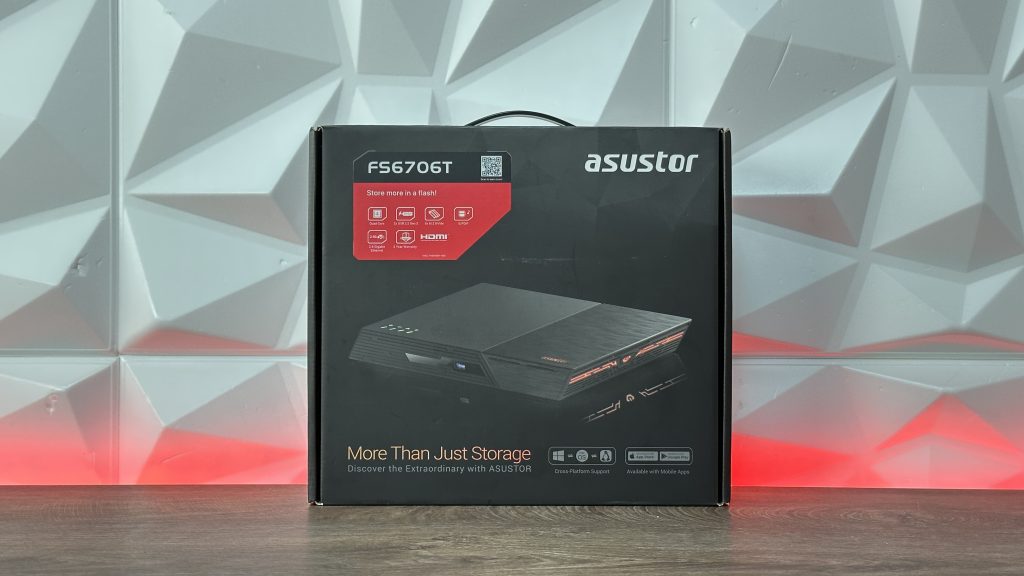
Pricesly, today we are going to talk about ASUSTOR FLASHSTOR 6, FS6706T which has Quad-Core 10nm Intel Celeron N5105 CPU, can store up to 6x M.2 NVME slots, has dual superfast 2.5 gigabit ethernet ports, 4GB of DDR4 2933 RAM which is expandable, dual USB 3.2 Gen2 ports, HDMI 2.0b, S/PDIF output for oustanding sound quality, 4K hardware transcoding and it supports Wake on WAN and Wake on LAN. Ok, main feature gives us an idea what is it all about. But it doesn’t end there. So let’s start.


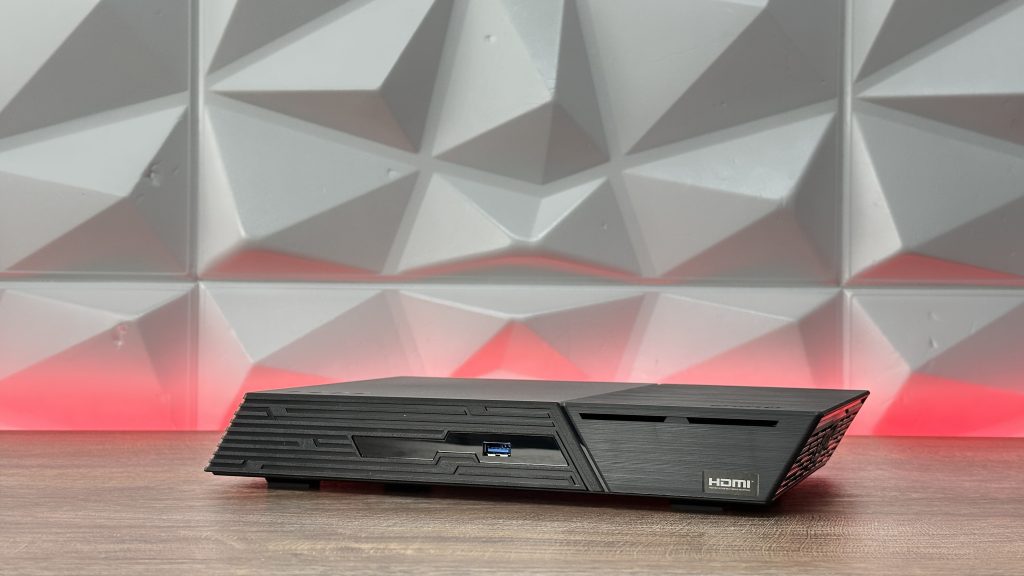

DESIGN – SLIM AND PORTABLE
Let us start with the design and everything around it. Since we are talking about NVMe drives stored inside, we are talking in general about a slim design compared to regular 3.5″ storage solutions which brings us to the point that you could, if you wish and need, carry it around on your trips, specifically for creators, with the weight of only 1.35kg which includes power adapter and cables.
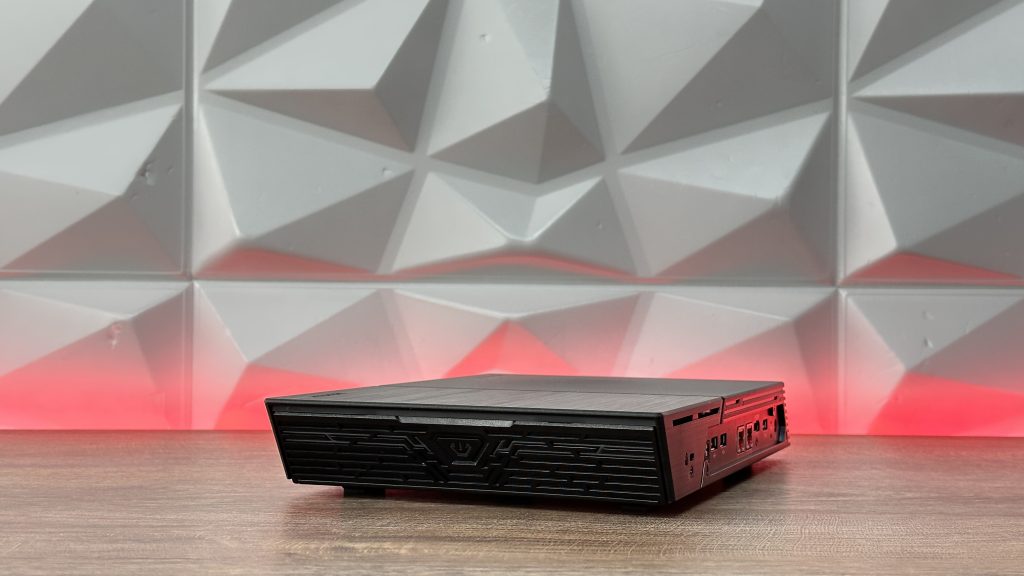

The design is a bit sharp on the corners, but it is easier to carry your storage like this than grabbing some massive storage that definitely won’t fit in your backpack.
Now to take a look around it.
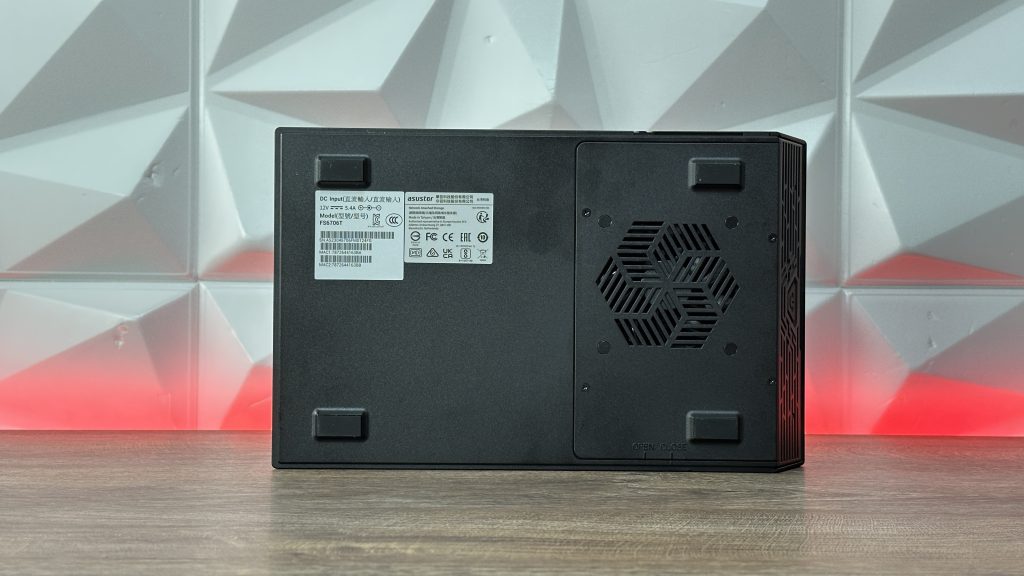
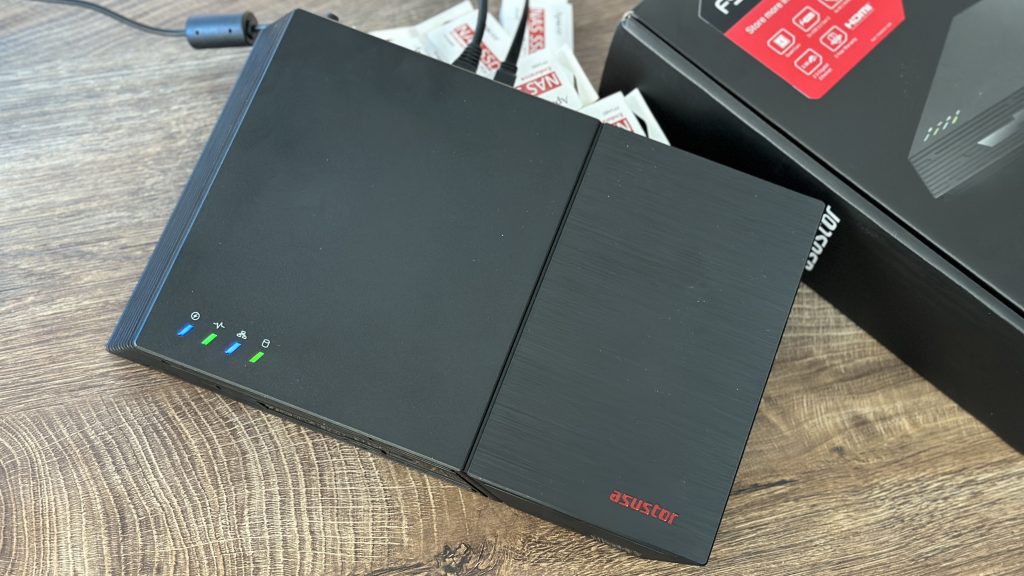
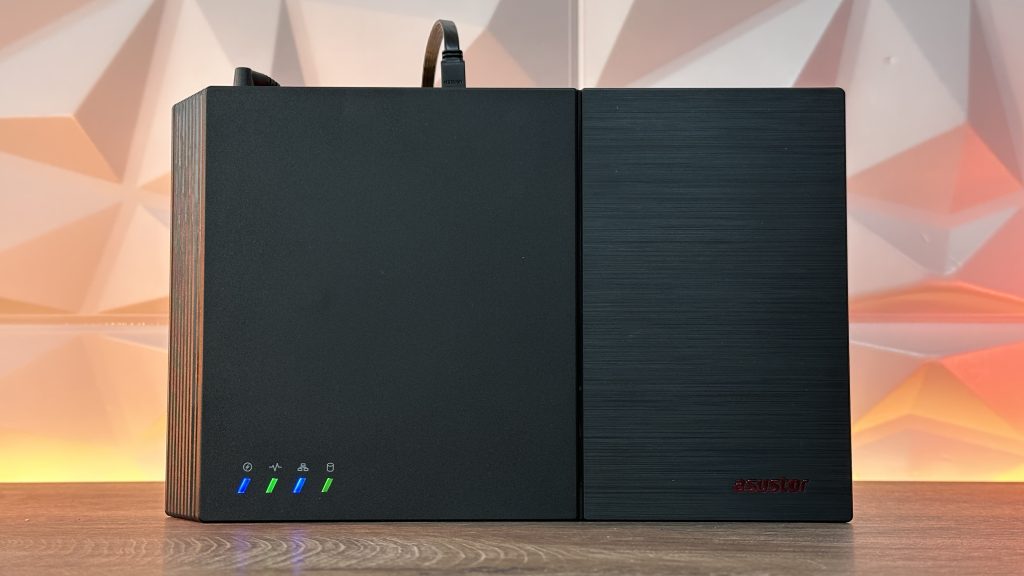
On the front we have 1x USB 3.2 Gen2 port and on the right top side there are four indication lights. On the sides we have openings for better ventilations and when we go at the back where all the ports are located, we have Kensington lock, S/PDIF, 2x USB 2.0, 2x 2.5 Gig LAN ports, HDMI 2.0b, another USB 3.2 Gen2, hidden Reset button and DC Power input.
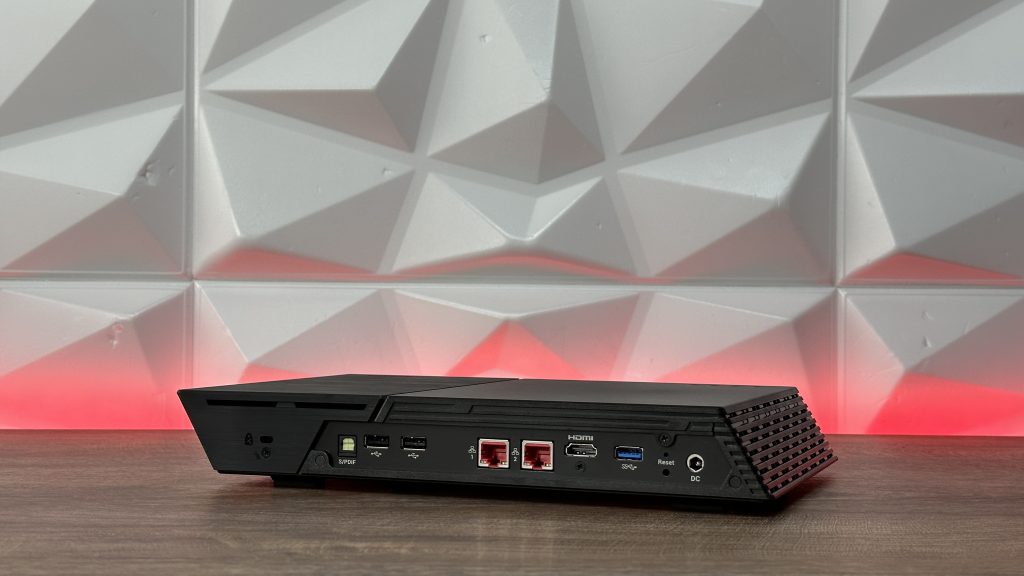
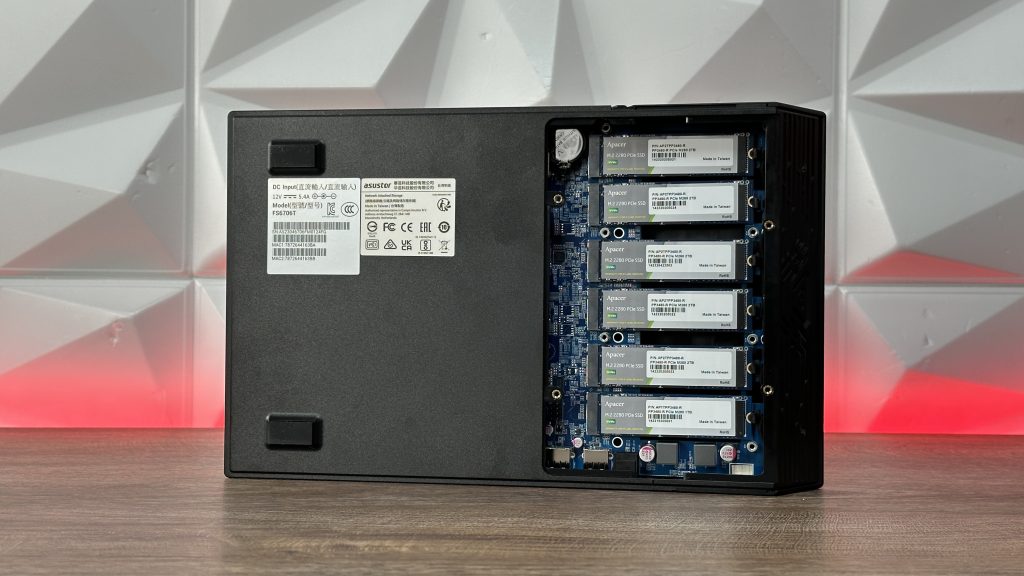
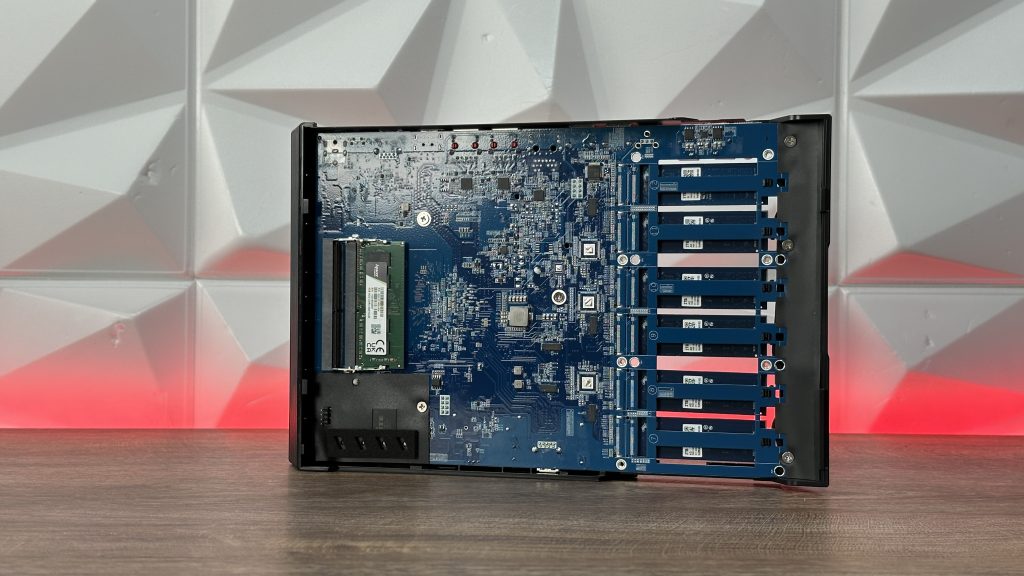
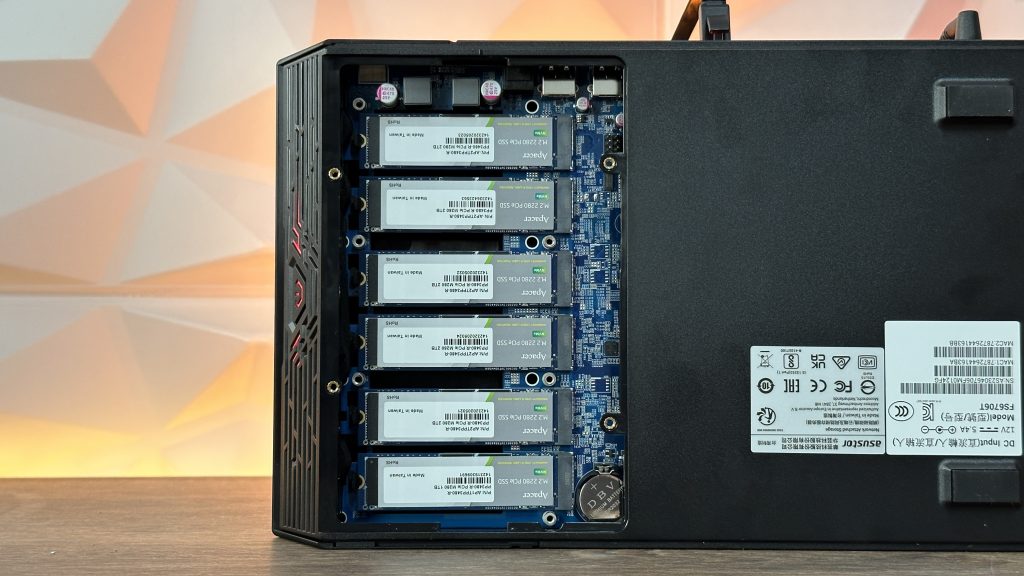
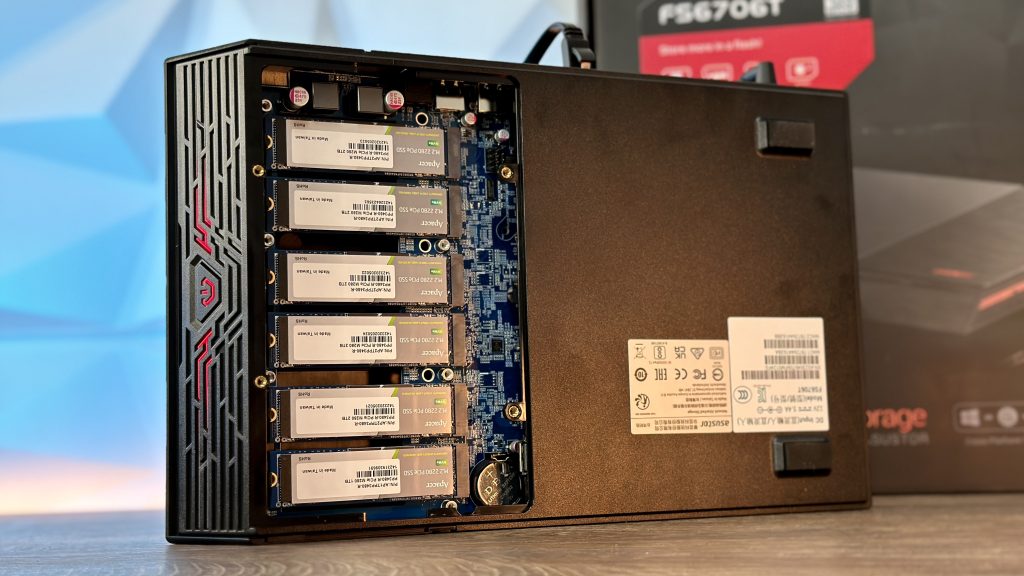
The interior looks is just regular PCB board that supports up to 6x 2280 form factor NVMe drives and we have loads of cutouts to help the airflow for cooling the M.2 SSDs to prevent thermal throttling, but we will get to the cooling part while I do benchmarks.
The other side of the motherboard can be accessed by removing two screws which release the top. There you can find the single 4GB DDR4-2933 module that is upgradable to 16GB in 2x 8GB variant.
Also an option is just to add one 8GB memory module so you have 12GB in total. It’s up to you to decide.
The larger model that supports up to 12 M.2 NVMe SSDs also comes with 4GB DDR4-2933, so in those terms of memory modules, with the speed of the NVMe storage, adding more memory wouldn’t impact much on the performance but regardless to that, it is definitely nice to have more options and not be limited to what comes from the factory.
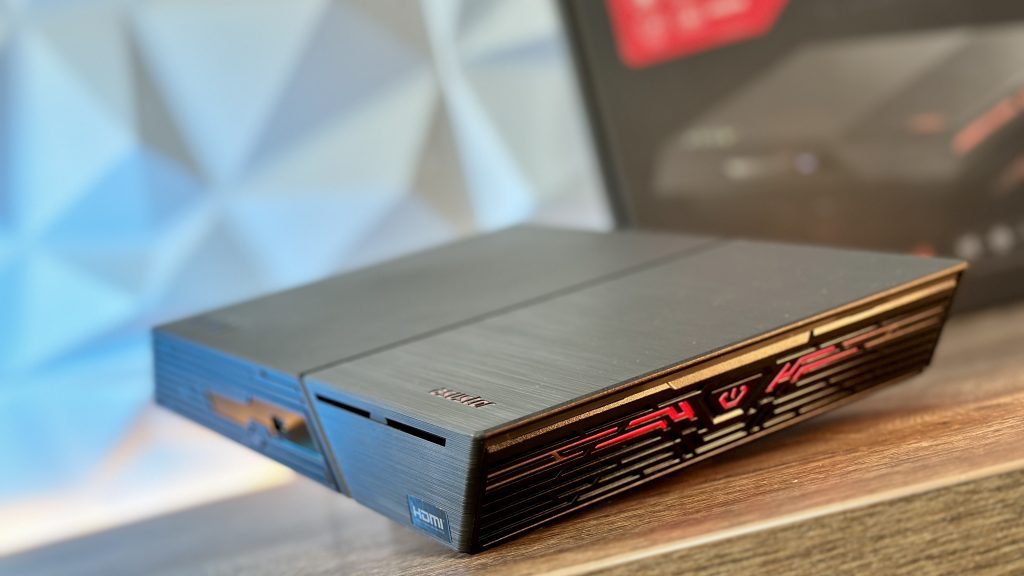
Also, since we are in the design segment of the video, I have to mention the lights it has and what blinks and what not. On the right side of the FLASHTOR FS67 you have a power ON button that lights up in red LED as well as some lines on both sides of the button. Kinda cool and gives more to the visual aspect even though for some it might not be important.
SPECIFICATIONS AND EXPANDABILITY
Now when we go and dive into specification segment, since it doesn’t say anywhere what are the limitation when it comes to the storage size, you can store up to 6x 8TB NVMe SSDs if you wish since those are the largest that currently exist. That means in RAID 5 you can manage 40TB of available storage with 8TB which is used for protection.
When it comes to 2.5Gigabit ports, I think they went with this one on the 6x bay version because it is more approachable for standard home or SOHO users. Also even 2x 2.5Gigabit Ethernet ports are more affordable than the one 10 Gigabit port on the FS6712X model. You could always upgrade with 5GbE adapter but taking into consideration the investment, maybe it would be a better option to go immediately with FS6712X.
Next up, you can also connect printers directly to it so for small business this could be a great thing because they don’t take much bandwidth to be accessed over the network.
Talking about the implementation and where it could be good for usage, except for travels for media creators as I mentioned already, home users in general and small business, HDMI makes is good solution for Plex and streaming services.
Performance on the other hand is also quite solid because it includes a beta support for SMB Multichannel which in other terms allows a single client to get all the bandwidth if they are connected with both 2.5GBe ports. What ASUSTOR tested in RAID 5 with 6x IronWolf 525 of 2TB storage is 590MB/s read and 583MBs write.
With a single 2.5GbE port, you can go up to 275MB/s. You can always pump up those speeds with adapters from USB 3.2 Gen2 to 5GbE, but that isn’t cost efficient.
If you wish to check out more details regarding benchmarks and more explanation, you can head over to my YouTube channel and check the video here:
In those terms, when we are talking about the speeds, there is no point in goin any higher, for instance like Gen4x4 because the Intel Celeron N5105 has 8x PCIe lanes which some are taken up with USB and LAN ports. So in the worst case scenario, each NVMe drive will use single PCIe 3.0 lane.
Thermals on the individuals SSDs was something like this in idle, while in full load thanks to the fan located inside, passive heatsinks that are individually located on each of the NVMe SSDs with some sort of path ways for better heat dissapation and of course nice air flow are:
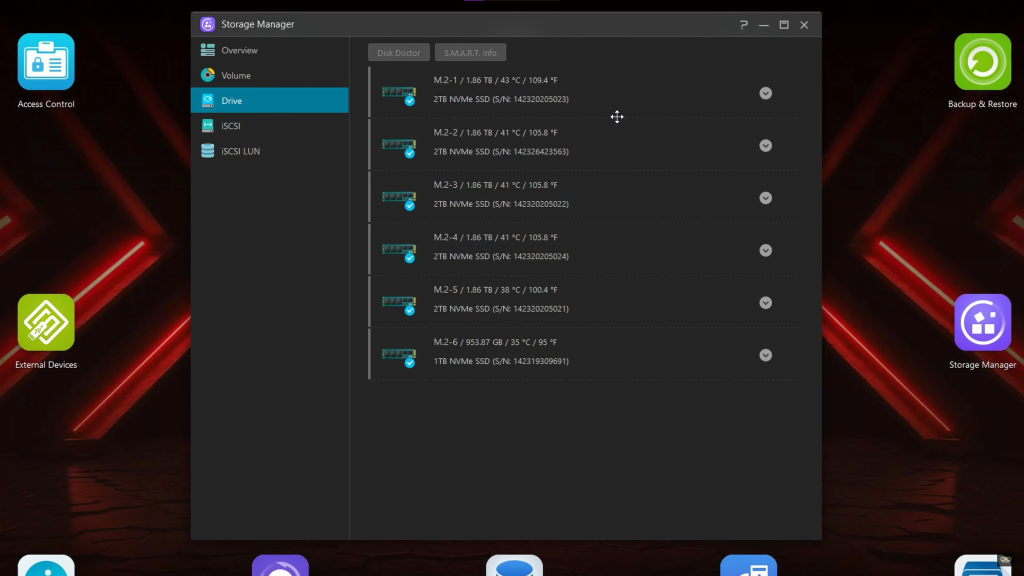
Noise level is going up to maximum of 18.7dB and when we are talking about power consuption, when it is in operation it goes up to 18.2W while it is in Sleep Mode, only 0.83W. Operating temperature is from 0-40°C
FLASHTOR FS67 comes with S/PDIF over TOSLINK so you can enjoy high quality sound combined with Roon or High-Res Player. Talking about hardware transcoding in 4K, real-time 10-bit 4k H-265 hardware transcogin makes 4K content smooth and enjoyable while streaming content to your devies with the built-in GPU.
You can also expand the storage in terms of connecting an AS6004U expansion unit to the USB 3 ports. For instance, you need some raw capacity and don’t want to waste the NVMe. Flashtor enables that with ease.
Now regardless of all the creative side where this FS67 helps out for, this NVMe NAS can be also used to store games on an iSCSI drive which helpos expand storage for a PC, no doubt. Why iSCSI? Well they can appear on your PC as a local drives and that is good because some applications or games can’t be installed on network shared folders. This way they can.
Supported OS are Windows 7, 8, 10, 11, Server versions from Server 2008 until 2022, macOS, UNIX, Linux and BSD and for the browser support for Firefox, Chrome, Safari and Edge.
Supported network protocols are CIFS / SMB, SMB 2.0 / 3.0, AFP, NFS, FTP (Unicode Supported), TFTP, WebDAV, Rsync, SSH, SFTP, iSCSI/IP-SAN, HTTP, HTTPS, Proxy, SNMP, Syslog. Some connections and transmissions I already mention like Wak-on-LAN, but we also have link aggregation which supports 802.3 AD and six other modes for load balancing, the TCP/IP IPv4 and IPv6, Jumbo Frame, VLAN, EZ Connect, DDNS and EZ-Router.
Support File Systems for internal drives is EXT4 and BTFRS, while external drives is FAT32, NTFS, EXT3, EXT4, HFS+, exFAT and BTFRS. Supported M.2 volumes are single, JBOD, RAID 0/1/5/6/10
Talking about small business and access to the device, we have maximum number of users up to 4096, groups/shared folders/concurrent connections 512, supports Active directoy and LDAP.
So I don’t mention all other security supports, system administration with also backup solution and snapshots, I will link the specs page there for you to check it out.



All in all quite handy NAS, especially if you are on the go and you need to have massive storage with you and you don’t want to carry your workstation with you. Connect it to your MacBook Pro because it supports SMB3 and you have two portable devices with a massive storage, fast editing machine. Good to go!
The current price for this model is around €450 while the 12x NVMe model is almost €800. Filling it up with, for instance 6x Apacer NAS SSD Endurance PP3480 2TB NVMe drives that are designed as a NAS drives (since I used 2TB as well) would cost you €250 per drive. If you go with regular NVMe drives Gen3x4, the cheapest version would be €100 with Apacer AS2280P4U model. So adding up everything, for more professional approach it would cost you €2.130 or with the regular M.2 SSDs, up to €1.050.
CONCLUSION
My first thought of the FS6706T was very positive because I didn’t though of the speeds, but portability of massive storage, of course if you could afford. Because not every product is straight forward when it comes to usage of the maximum possibilities, yet has some sort of hidden agenda. This FLASHTOR is one of those products. You can’t use the maximum speed of the NVMe storage drives, even with lower models like Gen3x4, but comapring this NAS that can handle 8TB SSDs or maybe in the future even more, comparing the prices a bit and then realizing that carrying HDDs with you is a heavy-duty work… Well basically, this is where the FLASHTOR FS6706T shines. Not to mention the prices of NVMe drives constantly dropping. So this might be a good start for a smaller and more convenient storage solution, but for the right speeds I think we will have to wait a bit.
Because of this verdict, I’ll give is PC Crazy Creative badge which means we have a product that has entered the market with some refreshing new options for you to choose from, yet still effective regardless of the downside of the speed limitation.
Where to buy:
►ASUSTOR FLASHSTOR 6 FS6706T: https://amzn.to/44WZU1h
►ASUSTOR FLASHSTOR 12 Pro FS6712X: https://geni.us/GeZey5X